Your everyday finance companion
From your morning coffee to your monthly salary, DailyFi keeps a clear record of every income and expense. Open the app, add a transaction in a few taps, and get on with your day — everything stays right on your device.
Features
Everything you need to stay on top of your money
From quick daily logging to clear reports — all in one simple, private app.
Log a transaction in seconds
Cash in or cash out — add a title, note and date, then pick a category you created yourself. Paying in another currency? Choose it, set the exchange rate, and DailyFi converts the amount as you type.
- Pick from your own custom categories
- Title, note and date on every entry
- Any currency, with your own exchange rate
Add Transaction
Amount
Weekly groceries
A ledger for every part of life
Create as many ledgers as you need — each with its own default currency, categories and settings. Keep them private on your device, or share one: everyone in it can add and edit transactions, and sharing is switched on per ledger in settings. Only a shared ledger ever syncs — nothing else leaves your device.
- Its own currency and categories per ledger
- Archive ledgers you no longer use
- Local by default — shared only when you choose
Ledgers
Personal
AFN · 128 transactions
Travel
USD · 24 transactions
Work
EUR · 56 transactions
Know where your money goes
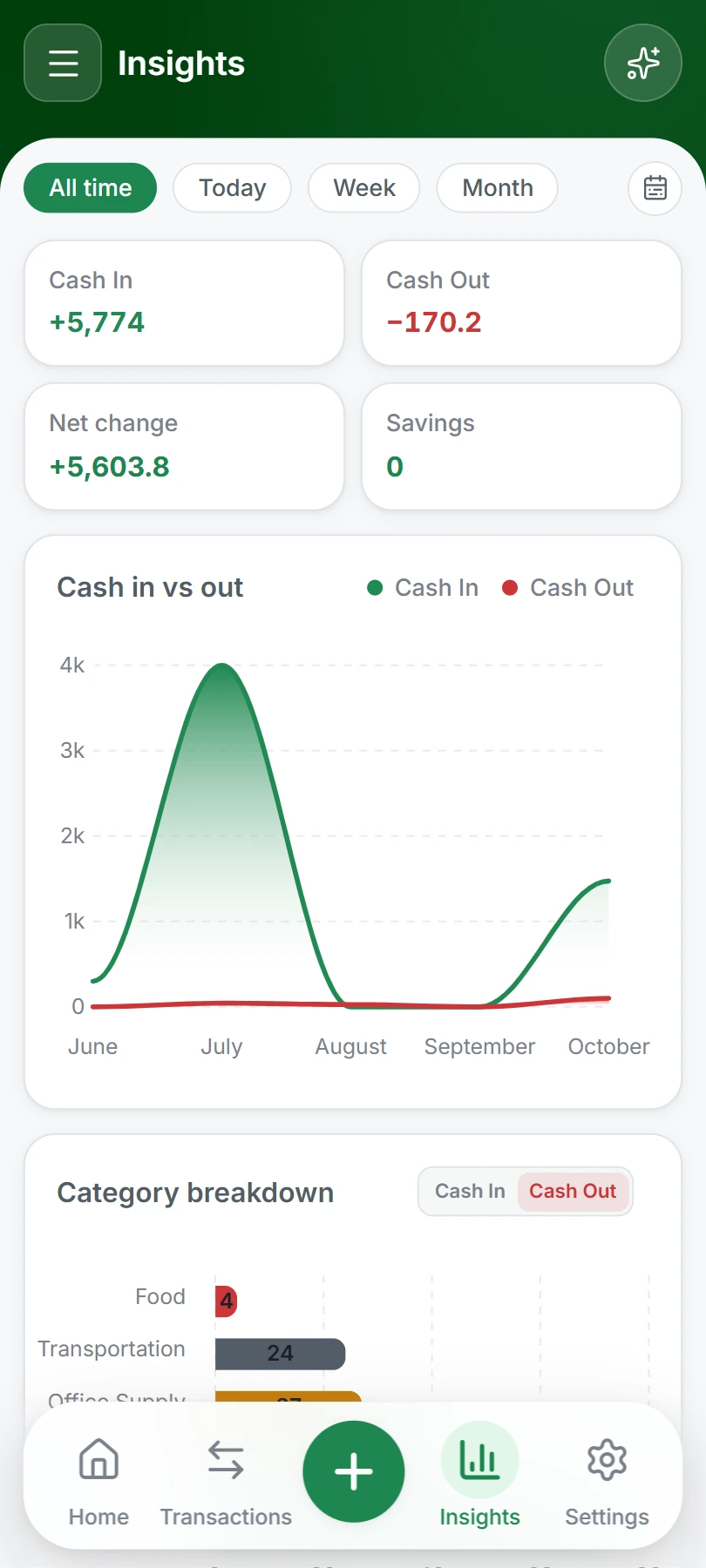
Extensive insights turn your transactions into a clear picture: cash in versus cash out, category breakdowns, balance summaries and trends. And when you need a specific answer, search and filters get you there fast.
- Cash in vs. cash out trends
- Expense and income breakdowns by category
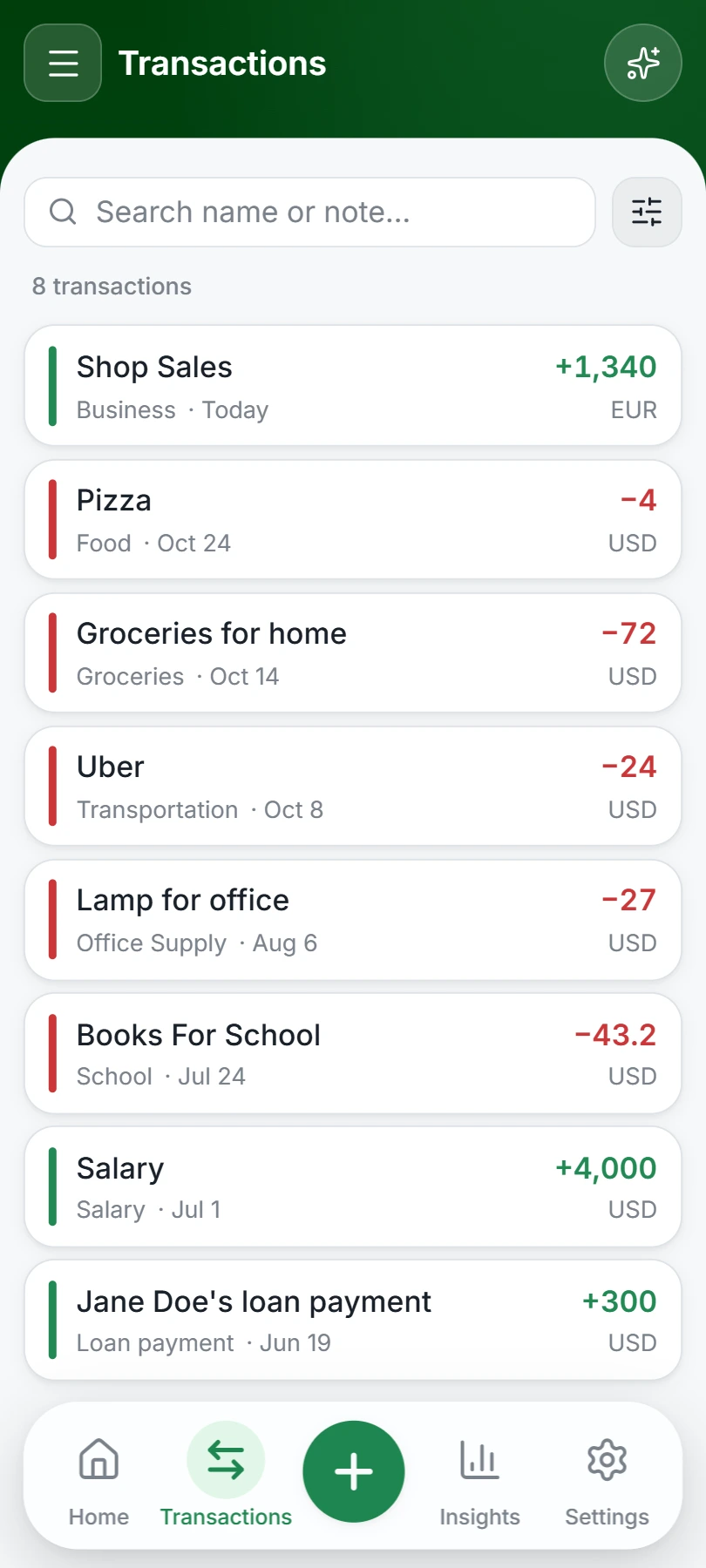
- Search and filter by type, ledger, currency, date or amount
Insights
Cash in vs out
Category breakdown
Private by design
DailyFi is local-first: your records live only on your device, locked behind a password, PIN or biometrics. Backup is optional and goes to your own Google Drive — and there are no ads or analytics watching what you do with your money.
- Your records never leave your device
- Lock the app with a password, PIN or fingerprint
- No ads, no analytics — ever
DailyFi
Enter your PIN
Balance at a glance
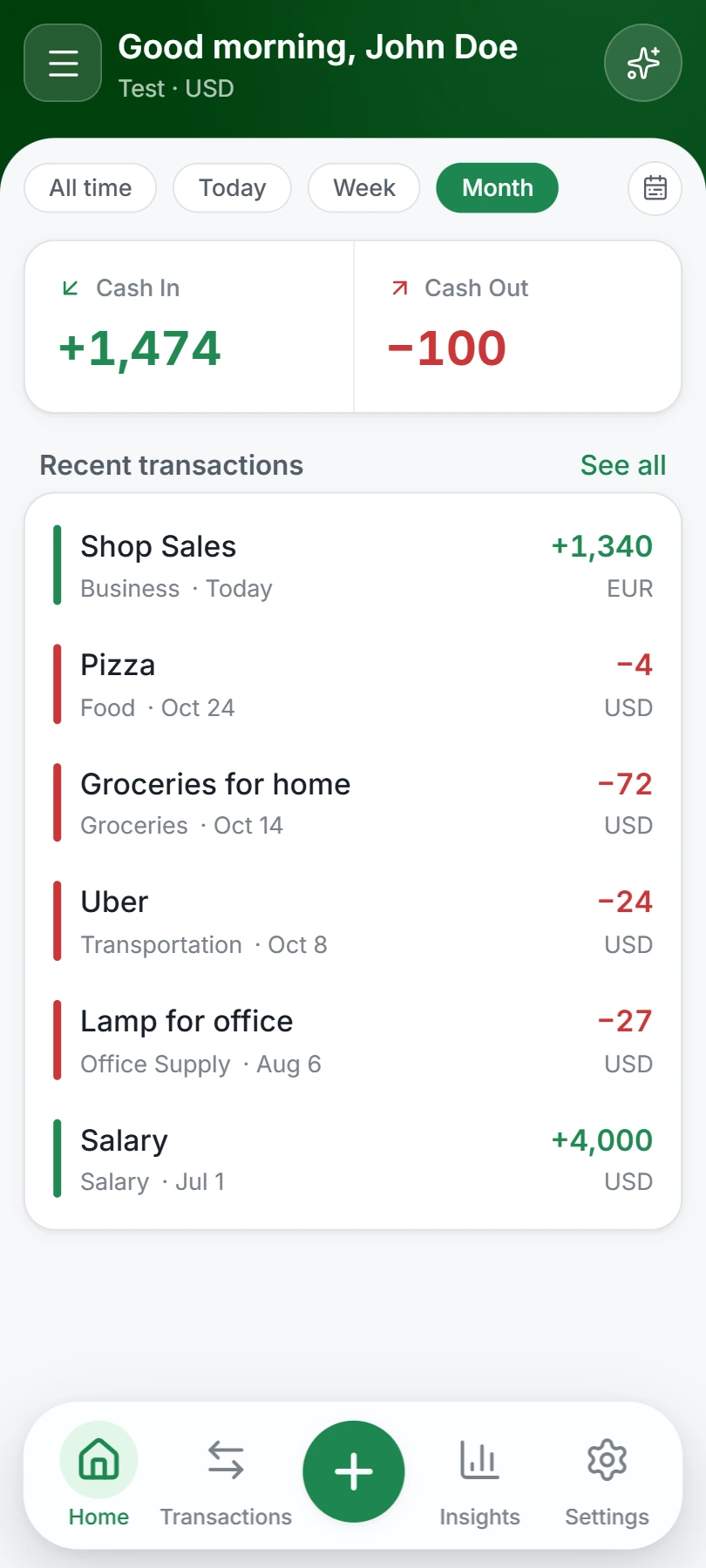
A clear dashboard summarizes cash in, cash out, balance, and savings for any period you choose.
Make it yours
Light and dark themes, twelve accent colors, and a clean interface you can tailor to your taste.
Backup and export
Create local backups and restore them anytime, export your history to CSV, and optionally connect Google Drive — backups go to your own account, nowhere else.
No online sign-up
There's no server registration. You create a local account on your device, protect it with a password or PIN, and start tracking right away.
Download

DailyFi
A free, local-first personal finance app for Android. Log income and expenses in seconds, organize them across ledgers and currencies, and keep everything private on your device.
10K+ Downloads
The first public release isn't published yet. Check back soon.
Google Play listing is coming soon.
FAQ
Frequently asked questions
What is DailyFi?
DailyFi is a free Android app for personal finance. It helps you track daily income and expenses, organize them in ledgers and categories, and understand your money through insights and reports.
Is DailyFi free?
Yes. The core app is free to use.
Does DailyFi work offline?
Yes. Everyday activities — adding transactions, browsing your history, and viewing reports — work without an internet connection.
Where is my financial data stored?
Locally, on your device. Your records are not uploaded to DailyFi servers. The only exception is a shared ledger: when you turn on sharing for a ledger, only that ledger's data is synced so everyone in it stays up to date. Google Drive backups, if you enable them, are stored in your own Google account.
Does DailyFi require online registration?
No. You create a local account on your device, protected by a password, PIN, or biometric lock.
Can I track transactions in different currencies?
Yes. DailyFi supports multiple currencies, and when you record a transaction in a currency other than your ledger's default, you enter the exchange rate yourself.
How do backups work?
You can back up and restore your data locally, export transactions to CSV, and optionally connect Google Drive for cloud backup. Nothing is uploaded to the cloud unless you set it up yourself.
Is DailyFi on Google Play?
Not yet. Google Play availability is coming soon — for now, the app is installed directly from its APK.
Are shared ledgers available?
Yes. You can share any ledger with others — everyone in it can add and edit transactions, and the ledger stays in sync across devices. Sharing is enabled per ledger in settings, and only that shared ledger's data is ever synced; your other ledgers never leave your device.
Is there an AI assistant?
An AI assistant is planned but not available yet. When it arrives, asking questions about your money may involve sending relevant information to an external AI provider.